

KARACHI: Experiencing sudden signal drops, choppy voice quality, or sluggish internet speeds during an important phone conversation can instantly ruin anyone’s mood. Because of this network disturbance, crucial conversations often remain incomplete, resulting in a waste of precious time.
If you face such connectivity issues on a daily basis, there is no need to worry, as the solution is right inside your smartphone. By changing a small setting that takes just a few seconds, you can enjoy crystal-clear voice calls alongside uninterrupted internet connectivity.
To get rid of this issue, VoLTE (Voice over LTE) technology can prove to be extremely helpful for you.

What Exactly is VoLTE?
If you aren’t familiar with it, VoLTE stands for Voice over LTE. Through this advanced feature, your voice calls are directly routed over the 4G network, which significantly speeds up call connection times and delivers exceptionally clear and crisp audio from the other end.
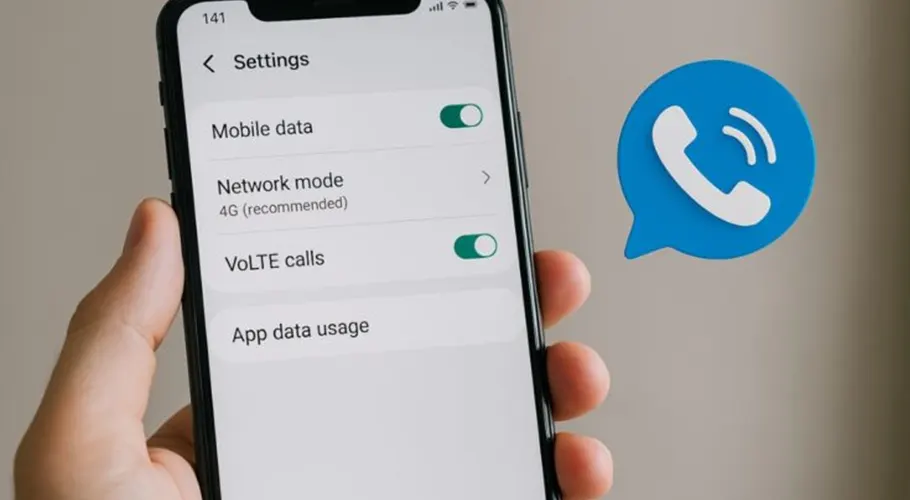
How to Enable VoLTE on Your Mobile Phone:
The primary requirement to benefit from this feature is that your SIM card must be 4G and your smartphone should support the VoLTE feature. You can turn it on by following these simple steps:
Go to your smartphone’s Settings.
Tap on Mobile Network or SIM Settings.
Select your desired SIM card (the one currently being used for calls or data).
Look for the option named VoLTE or 4G Calling in the list and toggle it ON.
Important Note: Always keep your phone’s operating system (software) updated. If you cannot find this option in your phone’s settings or if it cannot be activated, be sure to contact your respective mobile network operator’s helpline to confirm its availability.